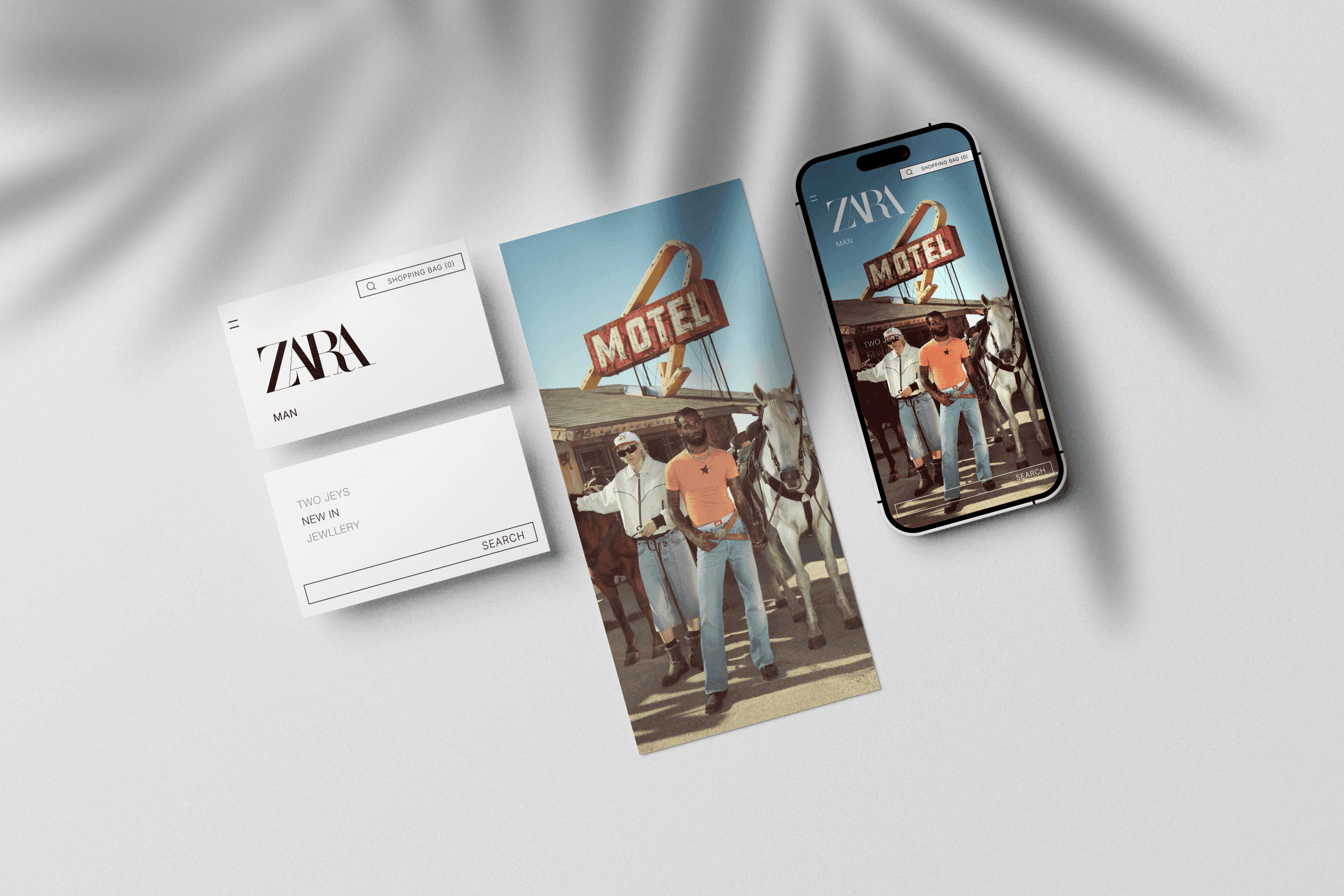
Zara homepage rework banner made of some cards and mobile devices on a table

Refining Zara's Homepage Navigation

Refining Zara's Homepage Navigation

A self-initiated project aiming to improve and refine Zara’s homepage user experience. With a focus on maintaining Zara’s unique house style and the website's minimalist and visual atmosphere.

Team structure

Solo

Research method

User persona, user journey, usability testing, accessibility testing

Discipline

UX design, UI design

Platform

Desktop and Mobile

Duration

3 days
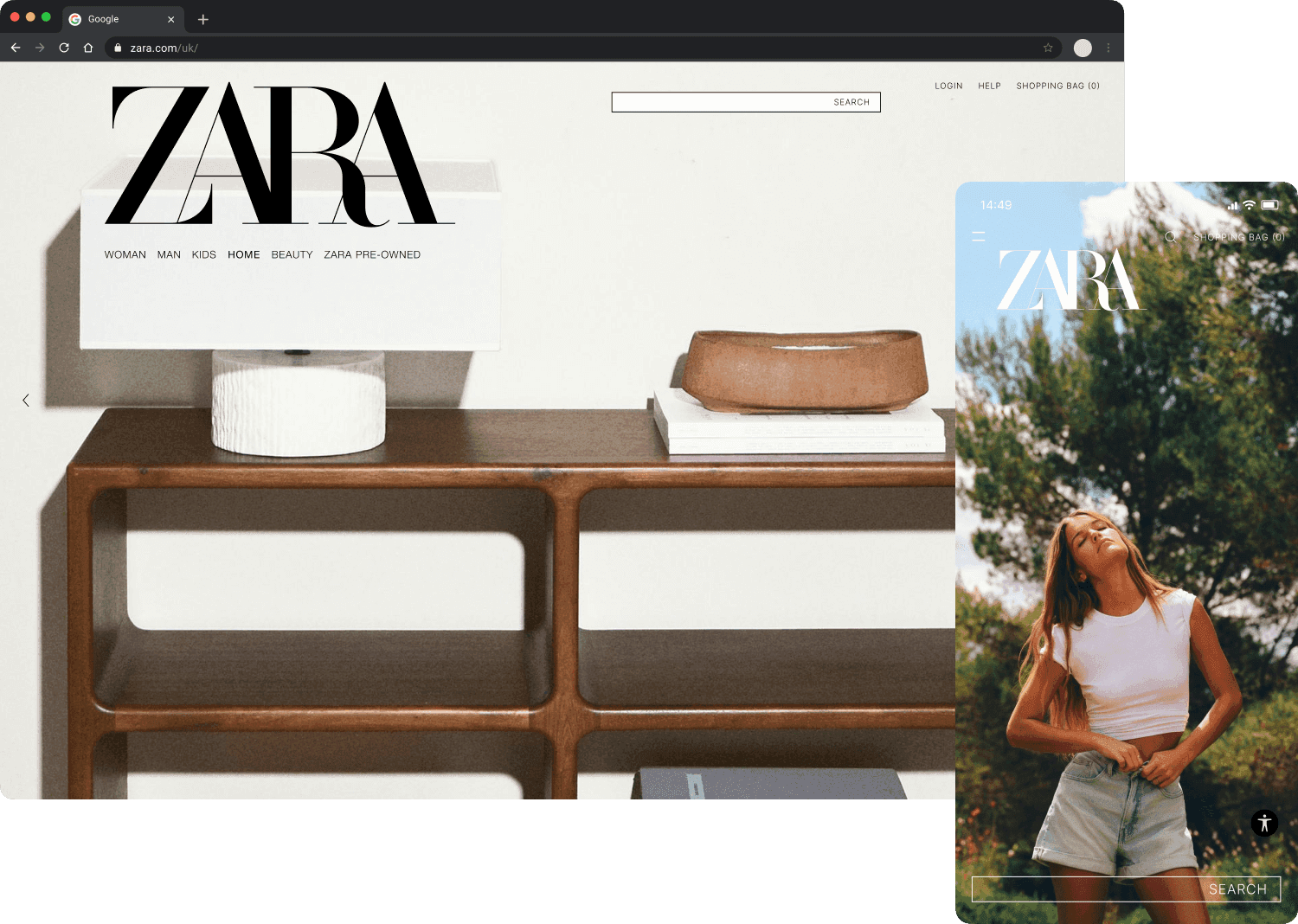
Final Proposal

Final Proposal

Current

Current

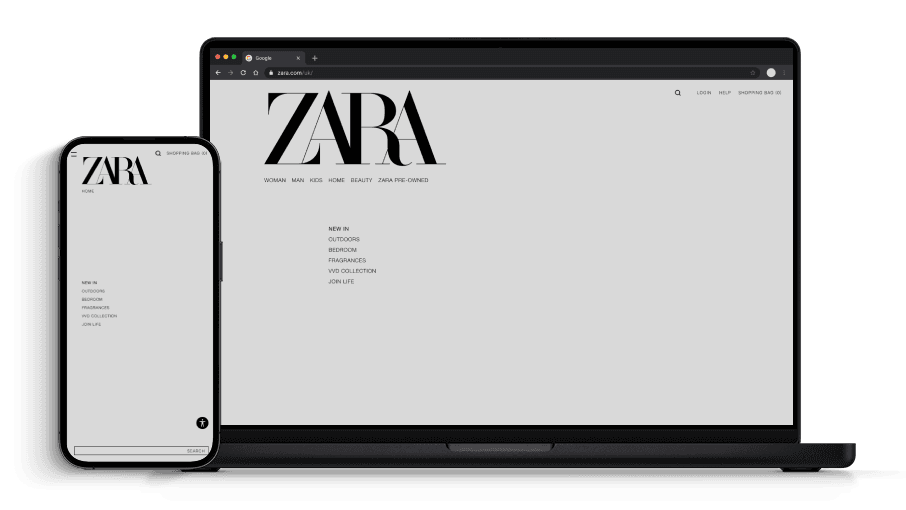
Desktop and mobile screens showing the current Zara landing page navigation

Proposal

Proposal

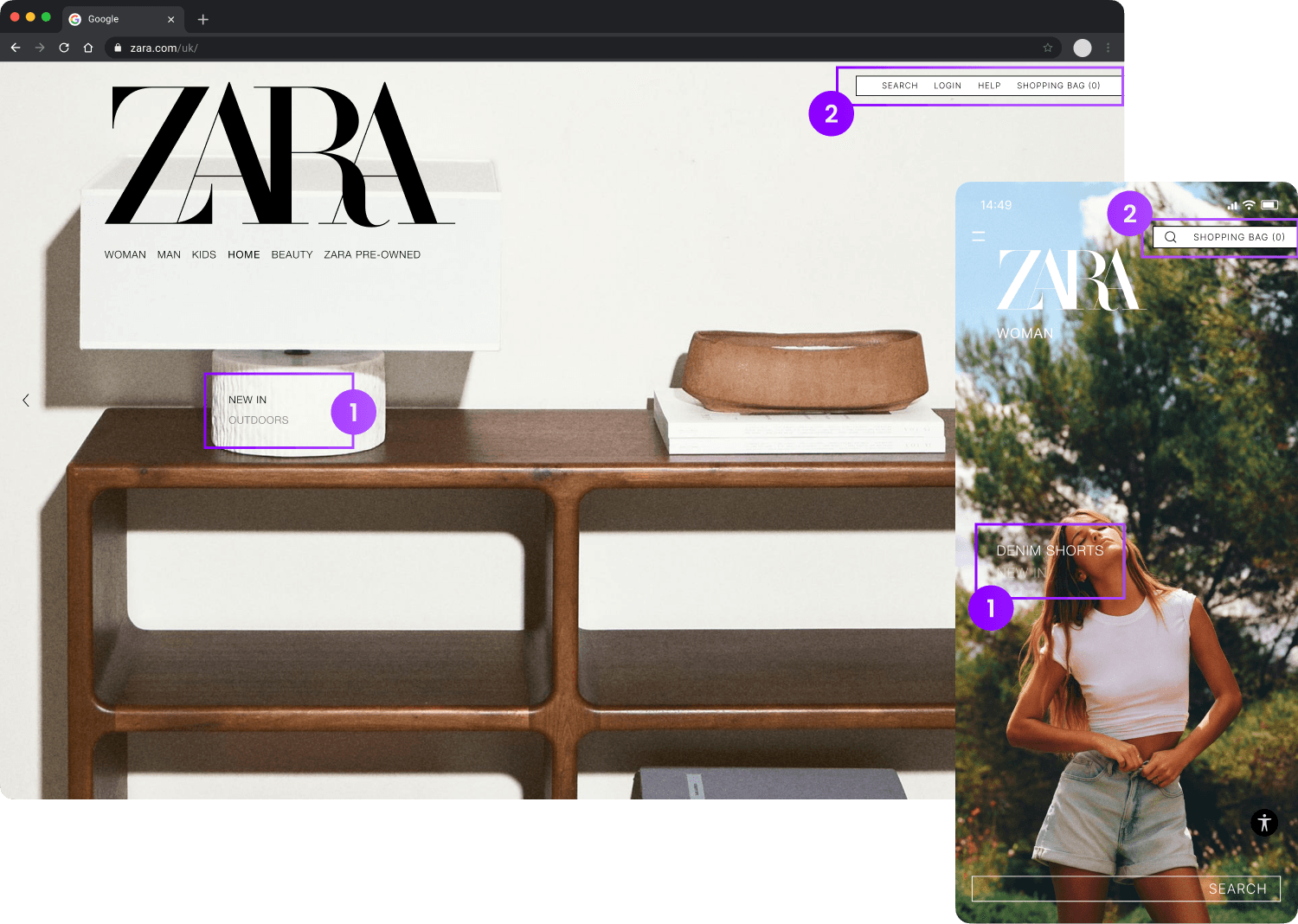
Desktop and mobile proposed edits from my research and explorations, with numberd sections corresponding to text below

Additons and changes

Additons and changes

1

Section menu, informing current section (NEW IN), and subsequent sections (OUTDOORS)

2

Combined "SEARCH" and top right hand navigation bar

Research

Research

User persona top line data

User persona top line data

Profile photo of Mia, in a library holding books

Mia

Mia

Mia

A young professional in Shoreditch, Mia's love for fashion and interior design fits the area's vibe. She enjoys city life but values personal space to unwind and express her creativity.

A young professional in Shoreditch, Mia's love for fashion and interior design fits the area's vibe. She enjoys city life but values personal space to unwind and express her creativity.

A young professional in Shoreditch, Mia's love for fashion and interior design fits the area's vibe. She enjoys city life but values personal space to unwind and express her creativity.

Job

Job

Marketing manager

Marketing manager

Age

Age

28

28

Gender

Gender

Female

Female

Status

Status

Single

Single

Income

Income

£55k

£55k

Location

Location

London

London

User journey key takeaways

Thoughts & painpoints

Accessibility

Multiple failed accessibility checks on text. Navigation bars were often not legible due to a lack of contrast with the background image.

Learning required

The unorthodox page navigation takes some getting used too, and isn't totally clear how to traverse initially.

Opportunities for improvement

1

Improve text readability to pass accessibility standards

2

Better communicate which section the user is currently viewing

3

Enhance hero navigation to encourage more exploration on homepage

Design

Wireframes

To reduce visual distractions and focus on functionality, I stripped the design back to a wireframe state. Whilst preserving the horizontal and vertical carousel style navigation, I searched for inspiration among websites and other platforms that use full-screen imagery. I found inspiration in video games and started to prototype a floating menu.

Wireframe 1
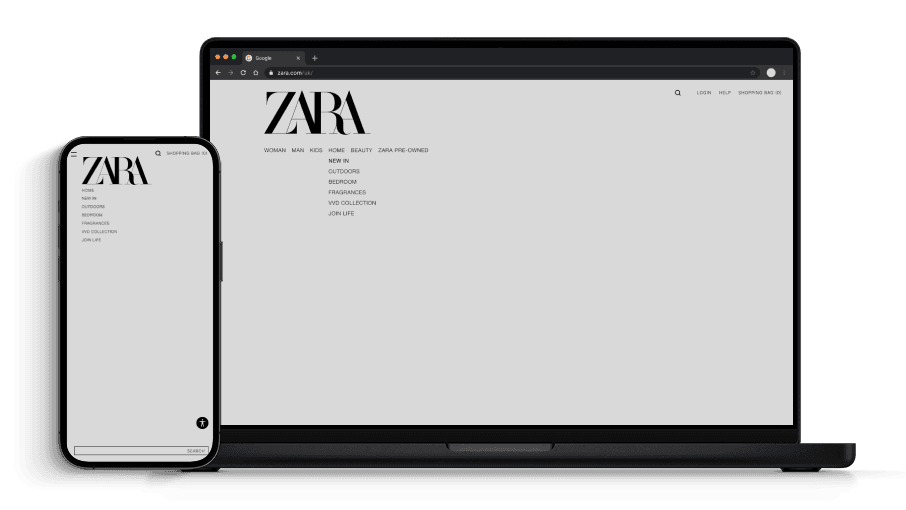
Wireframe exploration showing the addition of a menu

Wireframe 2

Wireframe exploration adjusting the position of the menu

Prototype

Desktop gif showing how the functionality of the menu and images with animation, using greys and blacks
Mobile gif showing how the functionality of the menu and images with animation, using greys and blacks

Adopting an iterative design process allowed me to effectively analyse and refine the prototype. By evaluating each wireframe against user pain points, opportunities for improvement, and the initial brief, I was able to implement meaningful changes without compromising Zara’s distinctive navigation or minimalistic atmosphere.

Implementation

Implementation

Accessibility

Accessibility

During the implementation stages, I focused on improving accessibility. Combining the search bar and secondary navigation made sense because:

Improves consistency between platforms, items are grouped on mobile

Fixed accessibility issues as the container inherits the search bars white background

Groups secondary actions and aligns items vertically
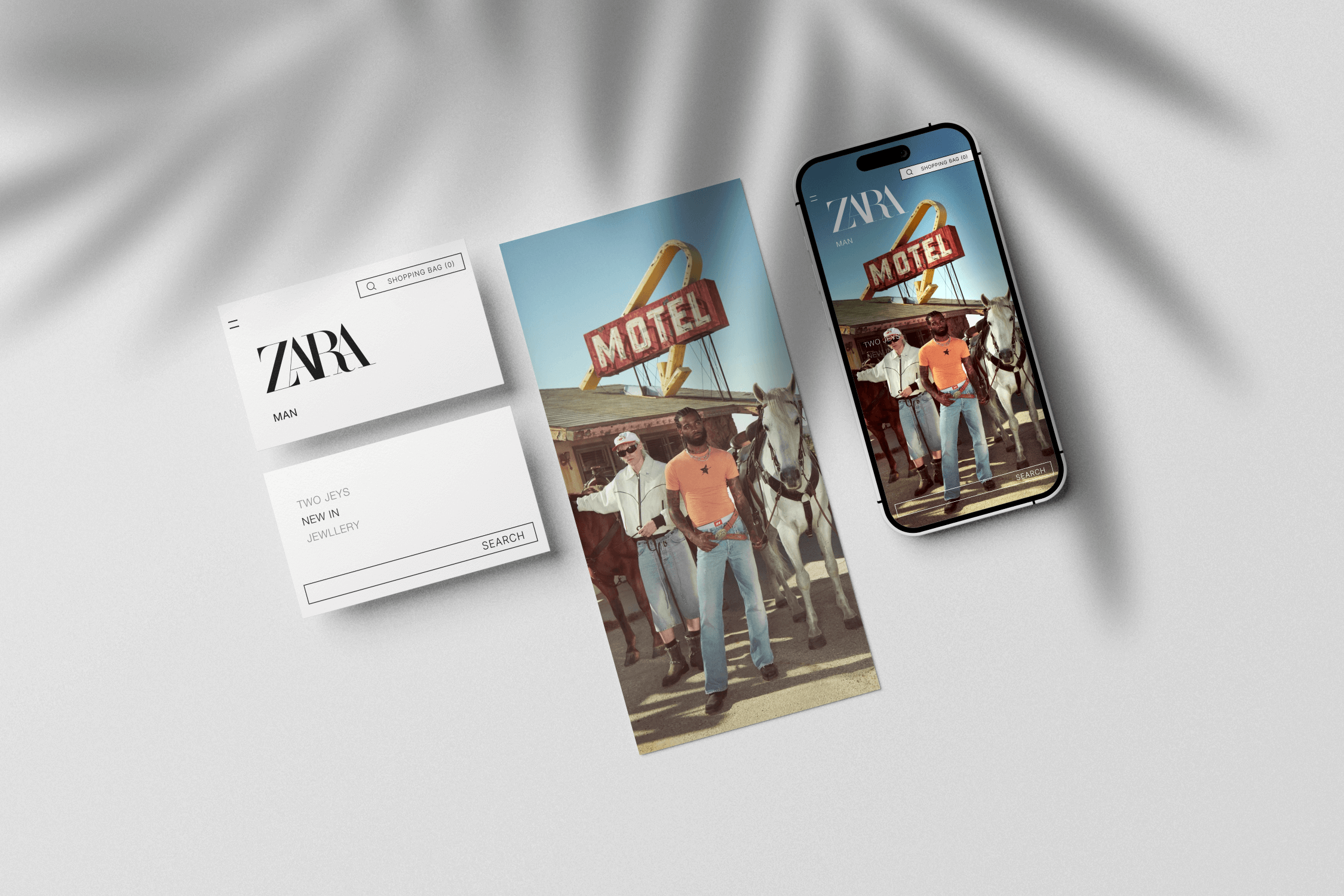
Proposed changes to Zara page on mobile, broken down into components, menu, navigation and image

Final proposal broken down into components.

Ready to bring your vision to life?

Let’s collaborate to create intuitive solutions that deliver an exceptional user experience

Ready to bring your vision to life?

Let’s collaborate to create intuitive solutions that deliver an exceptional user experience

Ready to bring your vision to life?

Let’s collaborate to create intuitive solutions that deliver an exceptional user experience

Ready to bring your vision to life?

Let’s collaborate to create intuitive solutions that deliver an exceptional user experience

Create a free website with Framer, the website builder loved by startups, designers and agencies.